

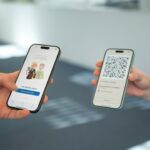



I recently moved to Denmark for my exchange semester and, as part of settling in, I had my first encounter with the Danish digital identity system, MitID. Since I work in the UX team at youniqx, I couldn’t help but view this experience through both a personal and professional lens. I’m usually involved in designing identity solutions – so this time, being on the user side of things gave me a unique opportunity to experience a digital ID system from a fresh perspective.
This blog entry is not a technical evaluation of MitID, but rather a personal reflection on the onboarding journey and which aspects stood out to me from a UX point of view.
Getting started: The activation process
When moving to Denmark, one of the first things you need to do is visit a citizen service center in person to take care of essential paperwork. That’s where I received my CPR number – the personal identification number used for every official service in Denmark. Whether you want to open a bank account, sign up for healthcare, or, in my case, activate your digital ID, the CPR number is your key to accessing it all.
After a short waiting period of one day, I was able to begin the MitID activation process from home. All I needed was my CPR number and a passport.
From Passport to Face Scan: The Activation Flow
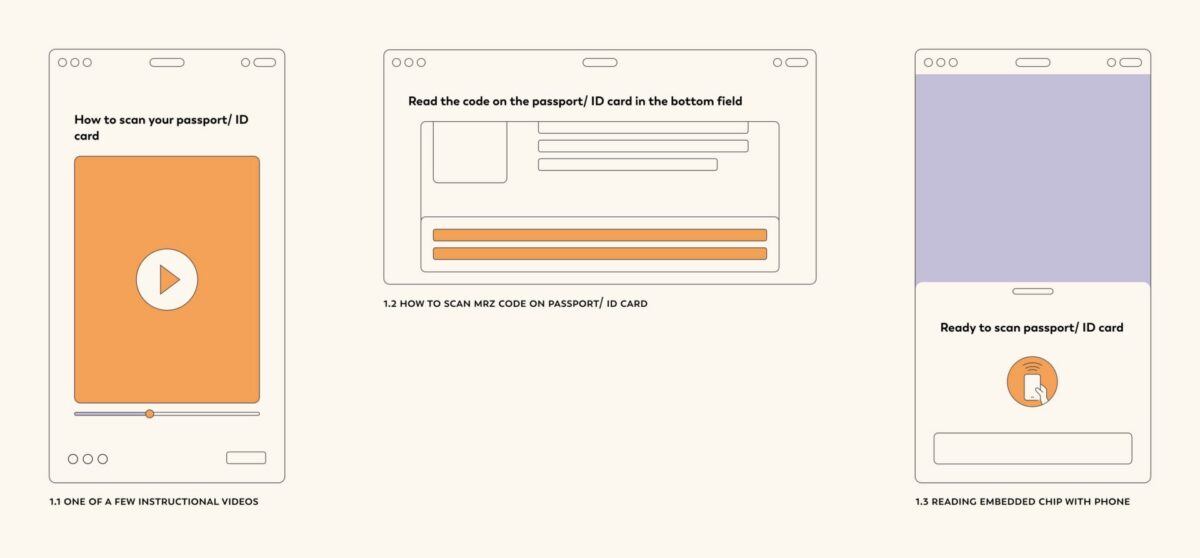
The journey began by choosing between different activation options. I chose to verify my identity using my passport. After accepting the terms and privacy policy, the more exciting part began – verifying my identity through my CPR number and passport. At each step, short instructional videos guided me through what to do, e.g. how to scan the MRZ code on my passport and how to read the embedded chip with my phone. Honestly, this experience felt a little bit like magic – I had never used my passport like this before. Back in Austria, when I activated my electronic ID, I had to go to an official office, where someone essentially did it for me.
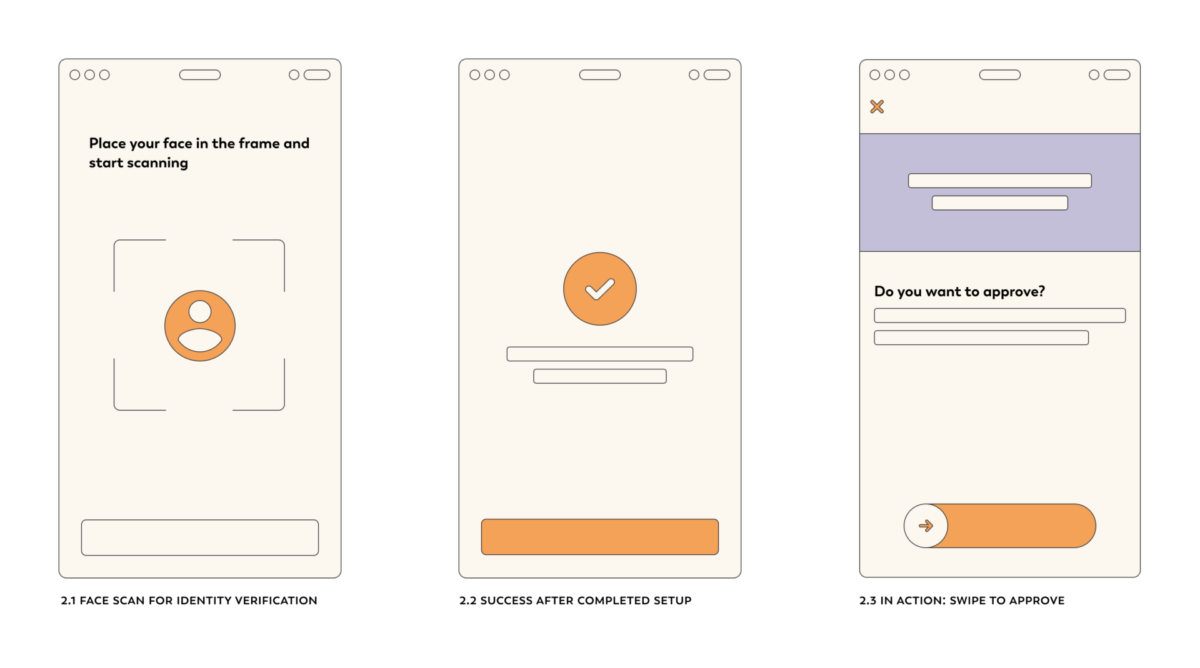
The final step in the identity verification was a face scan. After that, I was asked to choose a user ID and select how I wanted to approve future requests – not just with a smartphone, but also via alternative options like a code display, audio code reader, or chip. I found this diversity of authentication methods thoughtful, especially considering users who might not have access to a smartphone.
Since activating MitID, I’ve used it a few times to log into websites. One detail I really appreciated was how the app handles approval interactions. When a login request comes in, I can clearly see which organization is asking for my approval and what it’s for. To approve, I swipe a slider. To reject, there’s a button at the top left. I want to highlight this because the slider interaction felt much more deliberate and intentional than simply tapping a button.
Not Everyone Has a Smooth Experience
While my experience was seamless, my roommate ran into trouble. She attempted to activate MitID using her German personal ID card. She was understandably confused and frustrated when the app wasn’t able to read the chip after several attempts. In Germany, she regularly uses her ID card for online services. However, we found out later that it is not ICAO-compliant. Therefore, she ended up going back to the citizen service center to complete the activation in person.This situation made me think: while the overall guidance in the app was well-structured when being on the happy path, it wasn’t enough in this edge case. If I had run into the same issue and had to repeat the process multiple times, I think the experience would have started to feel tedious and unnecessarily complex leaving me with negative feelings right at the start. It’s a reminder that even well-designed flows can fall short when something doesn’t work as expected.
What Stood Out to Me as a Designer
As I went through the activation and later explored the app, I couldn’t help but observe everything through my designer lens, thinking: Is there anything that can serve as an overall role model for digital identity products as a whole??
A few things stood out:
Features like “Activating a MitID for another person” or “Adding users” to your app caught my attention. These functionalities could be particularly helpful when setting up MitID for elderly family members or others who need assistance. That kind of flexibility seems like a smart move in designing for real-life use cases.
- Micro-animations and illustrations added subtle liveliness to the experience. They made the interface feel friendlier without being distracting or unprofessional.
- Wording and instructions were consistently clear. I always felt confident I was on the right path.
- Features like “Activating a MitID for another person” or “Adding users” to your app caught my attention. These functionalities could be particularly helpful when setting up MitID for elderly family members or others who need assistance. That kind of flexibility seems like a smart move in designing for real-life use cases.
Final Thoughts: Identity Is Personal
Overall, activating and using MitID was a positive experience. It made me reflect on how digital identity systems don’t just need to function well – they need to feel trustworthy, understandable, and human. As someone designing products in the digital identity space, I walked away from this experience with a renewed appreciation for the small design choices that build – or break – user trust. Whether it’s helpful animations, clear messaging, or thoughtful alternatives for different user needs, these are the details that turn complex systems into human experiences.